Mega Mob XP Farm
Options
Youtube Video
Description
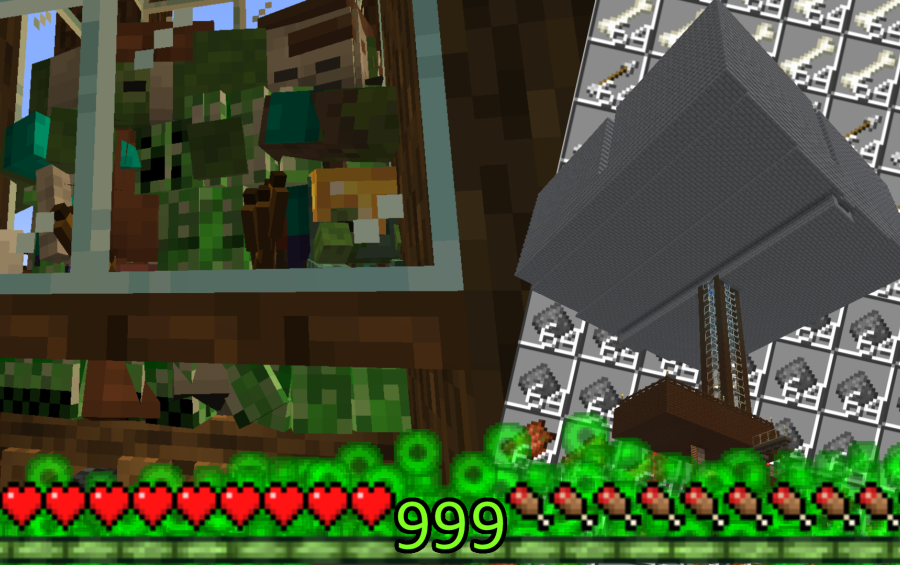
I built a Mega Mob XP Farm that is 4x bigger than the standard design! The best part? It requires ZERO Redstone, making it super easy for beginners to build. It also features a spider-proof layout to prevent clogging and ensure maximum efficiency at all times. Huge drops, no headaches!
Other Creations From narito


Comments (22)
| Hey narito Can I replace the cobblestone with stone bricks? I forgot what those blocks are called. |
by paul56666 on March 25th, 2026 09:34 AM EST Reply |
|
Hi! You can use either cobblestone or stone bricks—just choose whichever is more convenient for you! Since it’s purely an aesthetic choice for the structure, it won’t affect the farm's efficiency or the redstone circuits at all. |
by narito on March 27th, 2026 05:03 AM EST Reply |
|
i think i did it! their are more mobs dropping down than i thought! thanks so much! |
by scorp87 on January 13th, 2026 09:03 PM EST Reply |
|
Thank you! Glad it's working well! |
by narito on January 14th, 2026 06:34 AM EST Reply |
|
also another thing, does it matter what half a stack of blocks are in the hoppers to make the redstone power correct? thanks |
by scorp87 on January 8th, 2026 10:48 PM EST Reply |
|
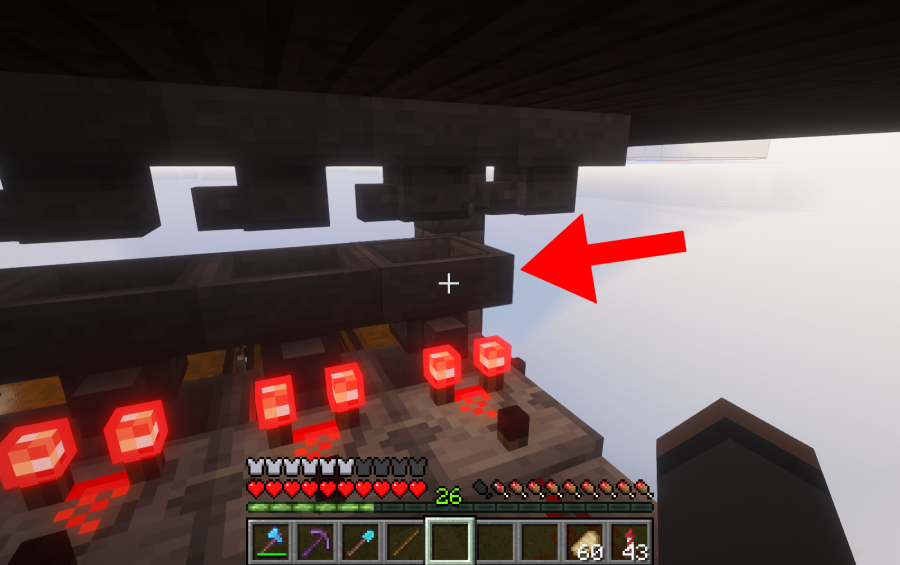
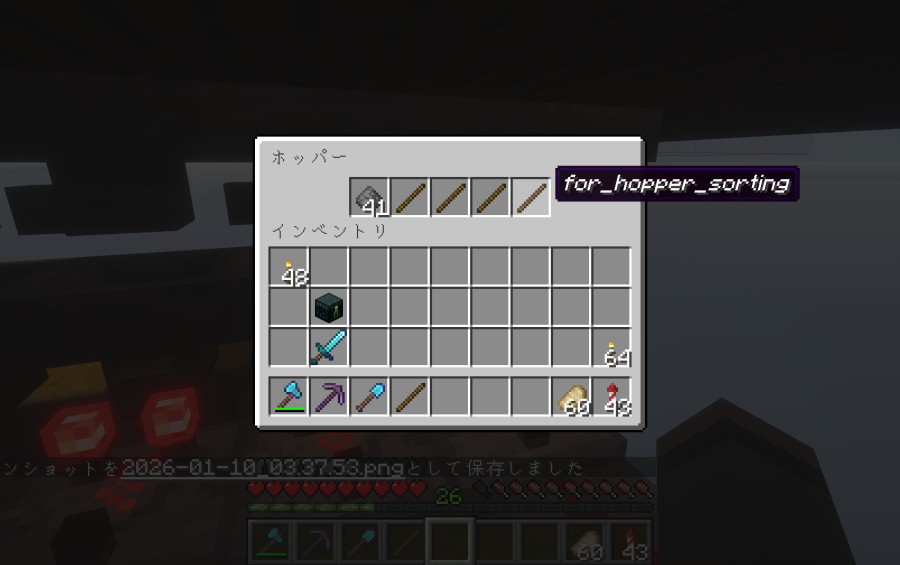
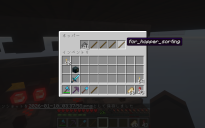
Hi there! Welcome to the world of Redstone! To make it easy for you, I’ve uploaded a screenshot to the 'Additional Pictures' section showing the exact hopper setup. Here is the technical breakdown: 1. Why the Redstone?: The comparator doesn't monitor the chest; it monitors the Hopper above it. It measures the number of items to determine the "Signal Strength" (Power Level). 2. The 45 vs 46 Rule (The Trigger): According to the game mechanics, a hopper's signal strength changes based on the item count: - 45 items = Power Level 2: This is the "idle" state. The signal is not strong enough to unlock the system, so items stay in the hopper. - 46 items = Power Level 3: When the 46th item enters, the signal strength jumps to 3. This extra power triggers the redstone circuit to unlock the hopper below, allowing the item to flow into the chest. - Your "half a stack" (32 items) is technically Power Level 2, but it doesn't leave enough room to reach the "Power Level 3" trigger correctly in this specific overflow-proof design. 3. Hopper Setup: - First Slot: 41 items of what you want to sort. - Other 4 Slots: 1 filler item each (Total 4). These must be different from your sorted item. - Pro-tip: Rename these fillers to "Filter" in an anvil so they don't accidentally mix with other items! For a full visual guide, I highly recommend searching for 'ImpulseSV Item Sorter' on YouTube. It’s the gold standard for this design! Hope this helps, and happy building! |
by narito on January 9th, 2026 01:50 PM EST Reply |
|
so for example if i add 46 pieces of rotten flesh to on one of the hoppers and the redstone level changes, does that mean that the items going to the chest thats next to the hopper are gonna be rotten flesh or smth like that? |
by scorp87 on January 10th, 2026 01:55 AM EST Reply |
|
Spot on! If you set it up with Rotten Flesh, that specific hopper will only "catch" Rotten Flesh and drop it into the chest below. Everything else will simply pass over it to the next hopper. However, there is a very important reason why we use the 41 + 1 + 1 + 1 + 1 distribution instead of putting all 46 in one slot: 1. The "Lock" Mechanism By putting 1 filler item (like a renamed stick) in each of the last 4 slots, you are "locking" those slots. This ensures that only Rotten Flesh can ever enter the first slot. 2. Why not 46 in the first slot? If you put 46 in the first slot and leave the other 4 slots empty, another item (like a Bone or String) might accidentally land in those empty slots. If that happens, the hopper will start trying to sort those items too, which will break the entire system and cause a mess in your chests! 3. The Golden Ratio: - Slot 1: 41 Rotten Flesh - Slot 2, 3, 4, 5: 1 Filler item each (Total 4) - Total: 45 items (Signal Strength 2 = Idle) When the 46th Rotten Flesh enters Slot 1, the power jumps to Level 3, the machine clicks, and it drops exactly one item to the chest to return to the "safe" 45-item state. |
by narito on January 10th, 2026 04:07 AM EST Reply |
|
so if i place 46 rotten flesh in one hopper, then 46 bones on another, then 46 string in another etc, does that mean the chest below them will store the corresponding item in the hoppers? |
by scorp87 on January 11th, 2026 03:22 AM EST Reply |
|
Not exactly! Doing it that way will actually cause some big problems for your system. If you leave those 4 slots empty, random items will eventually get stuck in them and clog the whole machine. Even worse, it can cause the redstone signal to become too strong, which will break the sorters right next to it! To make it work perfectly and keep it stable, you need to use the 41+1+1+1+1 layout. I’ve uploaded a screenshot to X (Twitter) to show you exactly how each hopper should look: https://x.com/naritonarumi/status/2010415240048210004?s=20https://x.com/naritonarumi/status/2010415240048210004?s=20 As you can see in the image, you must put 1 renamed "filler" item in each of the last four slots. This "locks" the hopper so it only picks up the correct item and ensures the redstone power stays at the safe level. Please follow this layout to avoid having to fix a broken system later! |
by narito on January 11th, 2026 01:18 PM EST Reply |
|
hi there, im new to this schematic stuff, can someone explain why the comparator and the redstone stuff are there if it doesnt even connect to the chest, and i also got to make the redstone to power level 2 and 1 by putting half a stack of wood, (i assume it works with any block) can anyone correct me if im right or wrong for the power level activation? thanks |
by scorp87 on January 8th, 2026 10:47 PM EST Reply |
| does this work on 1.12.2 |
by aadensfrrried on December 25th, 2025 12:49 AM EST Reply |
|
Sorry for the late reply! Honestly, I don't think it works on 1.12.2. This was built in a much newer version, and since 1.13 (The Flattening), block IDs and world heights have changed significantly. If you decide to give it a try and it works, I’d love to hear your feedback! Thanks. |
by narito on January 7th, 2026 01:32 AM EST Reply |
| what are the recommended render distance? |
by makexout on December 21st, 2025 11:28 PM EST Reply |
|
Please check your Simulation Distance! I recommend 10 to 12 chunks. If it's too low (like 8 or less), mobs at the edge of the 128-block radius won't despawn properly. This clogs the mob cap and stops new spawns. Render distance matters less, just set it to 10+ or whatever your PC can handle. |
by narito on December 22nd, 2025 05:31 PM EST Reply |
|
yeah my mobs seem a bit clogged, i built it in the middle of the ocean so im thinking of clearing out the chunks. im not sure |
by makexout on December 22nd, 2025 07:23 PM EST Reply |
|
By any chance, did you build your AFK spot or storage system at sea level(Y=63)? If you are standing that low, you might be loading the caves below. |
by narito on December 23rd, 2025 02:25 AM EST Reply |
|
nah i built it higher, bu |
by makexout on December 31st, 2025 09:00 PM EST Reply |
|
my game crashs The game crashed: rendering screen Error: java.lang.NullPointerException: Cannot invoke "net.minecraft.class_332.method_25290(com.mojang.blaze3d.pipeline.RenderPipeline, net.minecraft.class_2960, int, int, float, float, int, int, int, int)" because "this.drawContext" is null |
by Mateus060 on December 15th, 2025 06:35 PM EST Reply |
|
Thank you for the feedback. To address the crash you reported (drawContext is null), I have conducted a comprehensive test across all versions from 1.21 to 1.21.10. Based on the error log, there are two likely causes: 1. Version Mismatch (Highly Likely): The versions of Litematica/MaLiLib may not match your Minecraft version exactly. 2. Conflict with GUI/HUD Mods: Since the error involves rendering (drawContext), mods that modify the inventory, HUD, or display maps (e.g., Inventory Profiles, Minimaps, etc.) often conflict with Litematica. Please try disabling other GUI mods, and ensure you are using the exact combinations listed below: Minecraft,Litematica,MaLiLib,Fabric Loader 1.21.10,0.24.3,0.26.6,0.18.1 1.21.9,0.24.3,0.26.6,0.18.1 1.21.8,0.23.3,0.25.4,0.18.1 1.21.7,0.23.3,0.25.4,0.18.1 1.21.6,0.23.3,0.25.4,0.18.1 1.21.5,0.22.2,0.24.2,0.18.1 1.21.4,0.21.4,0.23.4,0.18.1 1.21.3,0.20.6,0.22.7,0.18.1 1.21.2,0.20.6,0.22.7,0.18.1 1.21.1,0.19.59,0.21.9,0.18.1 1.21,0.19.59,0.21.9,0.18.1 |
by narito on December 16th, 2025 03:14 AM EST Reply |
|
essa é a pior mod trap que tem , que tem que esperar os mob andar , |
by victorxp on December 14th, 2025 09:58 PM EST Reply |
|
True, active flushing is faster, but I prioritized simplicity here. No Redstone needed! I designed this to guide their random walk by manipulating pathfinding targets. Mobs perceive open trapdoors as valid paths, but the staircase walls and the top slabs along the edges are excluded from their pathfinding. This leaves them no choice but to head for the drop. |
by narito on December 15th, 2025 06:24 AM EST Reply |