Huge Auto Sorter
| Category | Redstone |
| Theme | Other |
| Size | Medium |
| File Format | .schem |
| Submitted by | MatthewIsGaming |
| Posted on | December 17th, 2020 06:26 AM EST |
| Download(s) | Has been downloaded 4077 times |
Options
Description
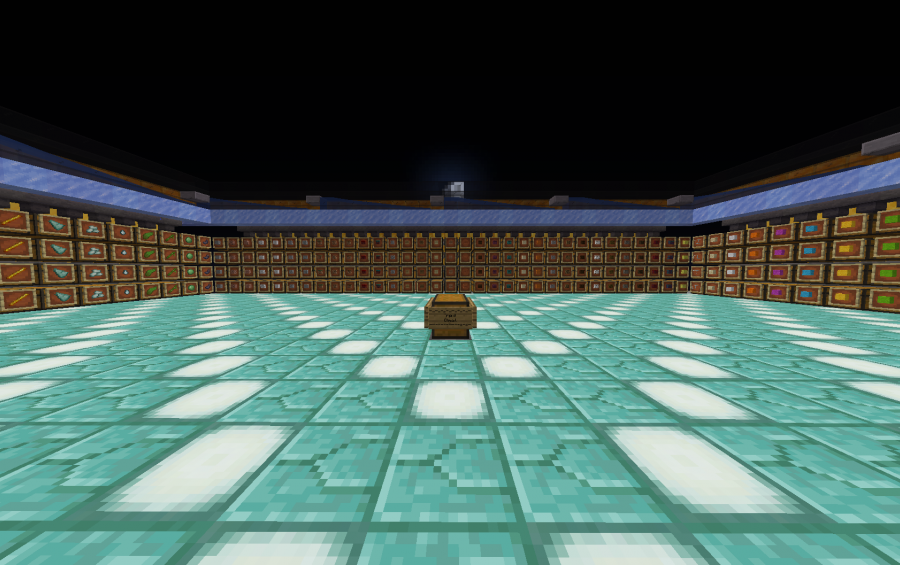
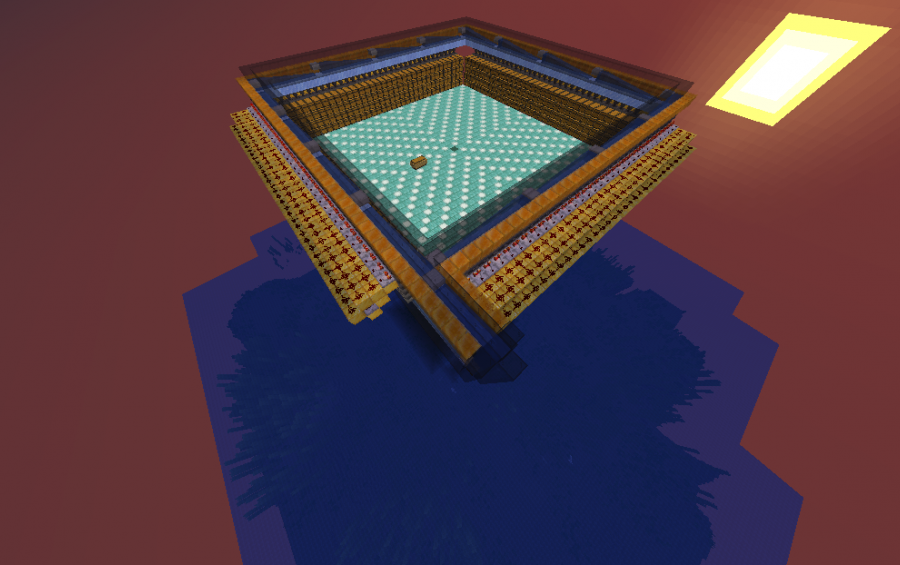
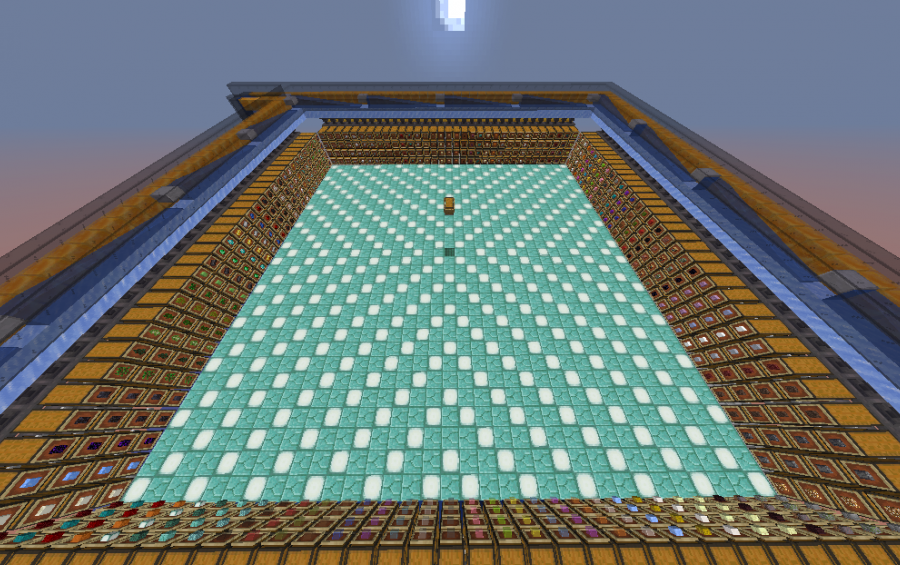
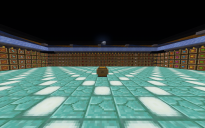
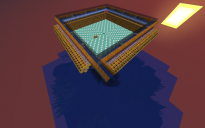
A huge auto sorter for items. Just put the items you want sorted into the chest in the middle, and it will automatically sort them.
You can change the items that you want sorted through the hoppers in the back of the chests.
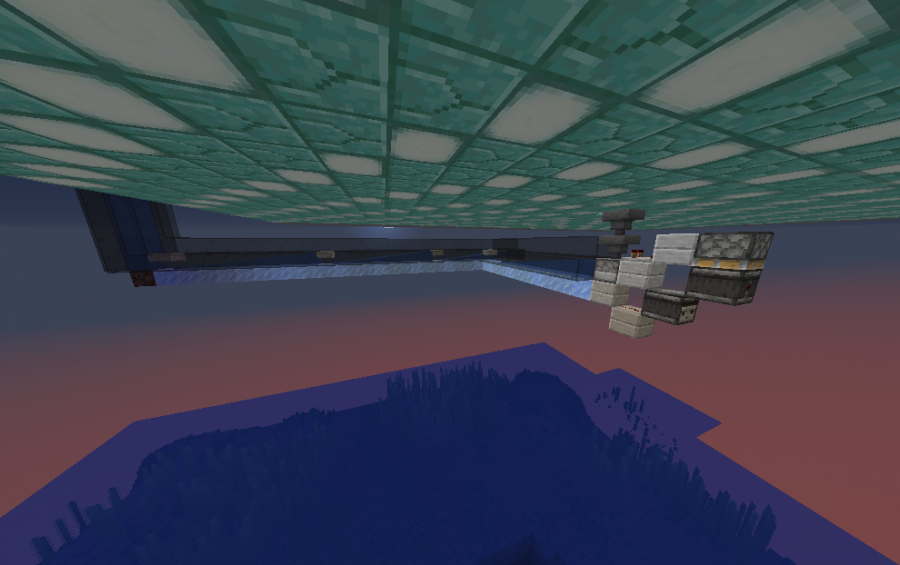
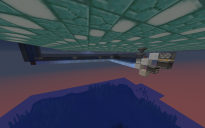
WorldEdit: Make sure you use //paste while floating in the air, because there is a sorting mechanism below the floor.
Litematica: You can load this .schematic file directly into your Litematica schematics folder (it reads them natively), or convert it to a .litematica file online if you prefer.
Note on Item Filters:
If you are not using WorldEdit, block inventories will not be saved. You will have to place the item frames yourself and manually set up the sorting filters in the hoppers.
How to set up the filters:
Go behind any chest and open the hopper facing into the comparator.
Put 41 of the specific item you want sorted into the first slot of that hopper.
Put 1 renamed item (like a renamed stick or cobblestone) into each of the remaining 4 slots.
Why rename them?
Renaming the filler items prevents them from accidentally stacking with normal items flowing through the system, which would break your filters!
Comments (43)
|
you put here worst items in the game to sort(im looking for great schematics to paste)bro there no sort for planks or oak |
by MaciejqYTZ on October 2nd, 2023 09:39 AM EST Reply |
|
The items shown are just examples. You can easily change the filters to sort whatever blocks you want, including planks and oak. |
by MatthewIsGaming on July 12th, 2026 06:00 AM EST Reply |
| Hello, how to assign what elements I want in each chest? |
by 505gaeql on May 13th, 2023 08:07 PM EST Reply |
|
Just set the hopper filters behind each chest. Put 41 of your desired item that you want sorted in the first slot, and 1 RENAMED item in the remaining 4 slots! It can be any item as long as it's RENAMED, because if that item were to pass through the hopper it would get put into the chest. |
by MatthewIsGaming on July 12th, 2026 06:05 AM EST Reply |
| Hi, hopefully you still read this but i'm rocking this auto sorter. Is there an overflow chest for items that cant be sorted perhaps? I can't seem to find it. |
by Zinizo on February 28th, 2023 08:40 AM EST Reply |
|
I removed the inksacs from the last hopper, now I made it an overflow chest ^^ |
by Zinizo on February 28th, 2023 09:09 AM EST Reply |
|
can you use a differnet block instead of honey |
by Jaytizzle08 on November 6th, 2022 11:38 AM EST Reply |
|
You need to use honey blocks because they have a slightly smaller hitbox. This aligns the floating items perfectly so the hoppers can reach them. You could technically use slime blocks, but they will stick to the redstone and mess up the build. |
by MatthewIsGaming on July 12th, 2026 06:07 AM EST Reply |
|
are you still here? I could use a youtube on how it works I put items in, and I don't know what chest they went to. Anyone? |
by jimired on October 16th, 2022 08:55 PM EST Reply |
| i love this and gave it a 5 star but its so laggy and i dont know why |
by ASRHurricane on April 18th, 2022 07:45 PM EST Reply |
|
Thanks for the 5 stars! The lag is likely from hoppers constantly checking for items. You can fix this by putting a full block (or a compost bin) directly on top of any exposed hoppers to stop them from scanning the air, which vastly reduces lag. |
by MatthewIsGaming on July 12th, 2026 06:49 AM EST Reply |
| Well done, you tried to make a good marshalling yard, I just reconfigured the filter for my needs and voila everything works like clockwork, 5 stars for work! |
by RedMaster on March 18th, 2022 09:47 AM EST Reply |
|
Appreciate the feedback and the 5 stars! Glad it's working perfectly for you. |
by MatthewIsGaming on July 12th, 2026 06:48 AM EST Reply |
| why are you using schematic. use litematica . trash |
by Rinshinoa on August 3rd, 2021 11:38 AM EST Reply |
|
you do know it can be easily converted to a litematic file, right? |
by Denthil45620 on January 22nd, 2022 03:34 PM EST Reply |
| Can we get a world save? |
by Silencer325 on May 18th, 2021 09:11 PM EST Reply |
| Nevermind, this doesn't sort, just dump into random chests. |
by heyimastopsign on April 27th, 2021 06:31 AM EST Reply |
|
Rly? i think you dont know how to set up this thing |
by Yukitus86 on June 7th, 2021 04:57 PM EST Reply |
|
i donwload it and it work perfect every item is setup |
by Yukitus86 on June 7th, 2021 05:07 PM EST Reply |
|
it doesn't work on litematica it just starts to dump everything into random chests how can i fix it? |
by goatmine3 on February 4th, 2022 09:31 AM EST Reply |
|
自己分類 |
by SuperAska on September 25th, 2022 12:52 AM EST Reply |
|
That happens because Litematica clears container inventories, so your filters are currently empty. You just need to manually re-add the 41 items and named blockers into the filter hoppers. |
by MatthewIsGaming on July 12th, 2026 06:50 AM EST Reply |
| Found that the whole thing was clogged by slabs asking for 5 stars, but it works, so I'll give it 4. |
by heyimastopsign on April 27th, 2021 04:09 AM EST Reply |
| im putting the item to the input chest and its stucking in a hopper how can i fix this? |
by allendandeyo on April 16th, 2021 11:47 AM EST Reply |
|
Make sure you have placed the water source blocks along the ice/glass paths! If there is no water, the items won't move down the stream and will just pool in the first hopper. Also, double-check that a nearby lever, redstone torch, or block isn't accidentally powering the stuck hopper and locking it. |
by MatthewIsGaming on July 12th, 2026 06:52 AM EST Reply |
| doesnt work with litematica (says failed to load) |
by puffafish_QT on April 14th, 2021 01:43 PM EST Reply |
| dude, this build is just awesome but there's one problem, i can't use mcedit for 1.16 right now right? so how do i use this schematic dude... please help |
by AleksEatsBurgers on March 8th, 2021 10:31 AM EST Reply |
| Im having trouble downloading the schematic. Every time i paste it all chests, hoppers and redstone stuff is gone. Can you not paste it in 1.16.5? |
by R3X on February 17th, 2021 08:36 PM EST Reply |
|
Got the same problem |
by 0802fd on April 4th, 2021 05:22 AM EST Reply |
| how do we configure what items we want it to sort? |
by velvetfrvr on February 8th, 2021 04:48 PM EST Reply |
|
Do you know why i cant open the schematic with litematica. do you got a file that i can build it with litematica? |
by bennob12 on January 18th, 2021 06:05 AM EST Reply |
|
litematica only opens .schematic files and schematica only opens litematic files |
by Gamergame1982 on June 19th, 2023 09:43 AM EST Reply |
| Hi,can you upload litematic file pleasee? because i cant open this file with litematic 1 16 4... |
by Linstop553 on January 3rd, 2021 03:53 PM EST Reply |
|
Muchísimas gracias por esta schematic, realmente me dio demaciada flojera el hacerlo manualmente y, encontrar esto aca, me dio la vida, Buen trabajo, sigue asi!!! Thank you very much for this schematic, it really gave me too much laziness to do it manually and, finding this here, gave me life, Good work, keep it up !!! sorry if the translation is bad, i use google translate |
by lKatochi on January 2nd, 2021 03:45 AM EST Reply |
|
No problem dude thanks for the review! |
by MatthewIsGaming on January 5th, 2021 10:47 AM EST Reply |
| Try using litematica to make schematics |
by sageofsixramens on December 28th, 2020 12:34 AM EST Reply |
| USELESS wont even fucking work add a fucking mediafire link for working file |
by bigsecretofind on December 25th, 2020 02:06 PM EST Reply |
|
Can you post the world file please |
by TorrinF on December 22nd, 2020 09:00 PM EST Reply |
|
I built this on my minecraft server and we have a lot of builds the world is too big i'm sorry |
by MatthewIsGaming on December 23rd, 2020 07:35 AM EST Reply |
| Hi mine keeps saying "failed to load schematic" |
by DragonJamesGames on December 22nd, 2020 05:44 PM EST Reply |
| Can we get a materials list for this? |
by Spookyyyyyyy on December 19th, 2020 02:34 AM EST Reply |
|
I'm sorry there's too many items it would take me a long time to give you a material list |
by MatthewIsGaming on December 19th, 2020 09:06 AM EST Reply |
|
You can also configure the sorter how you like it, it doesn't have to be those materials |
by MatthewIsGaming on December 19th, 2020 09:06 AM EST Reply |