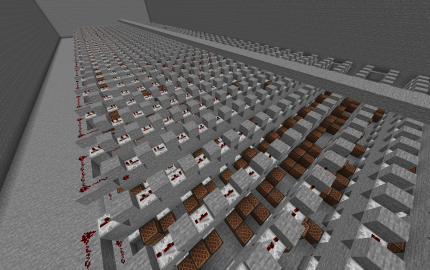
Coffin dance
| Category | Miscellaneous |
| Theme | Other |
| Size | Small |
| File Format | .schem |
| Submitted by | LegoEko |
| Posted on | May 18th, 2020 10:27 AM EST |
| Download(s) | Has been downloaded 132 times |
Options
Description
Coffin dance meme idk yay
Comments (7)
| is there a way you could provide a .litematic as well? or a world download |
by DragonGuyTV on May 19th, 2020 11:05 AM EST Reply |
|
U can prob change the file to litematic if u change the name on the end |
by LegoEko on May 19th, 2020 11:06 AM EST Reply |
|
usually doesn't work but it did that time, thanks |
by DragonGuyTV on May 19th, 2020 11:06 AM EST Reply |
|
a lot of Redstone broke when I pasted it |
by DragonGuyTV on May 19th, 2020 11:10 AM EST Reply |
|
nvm |
by DragonGuyTV on May 19th, 2020 11:11 AM EST Reply |
|
oof uhm idk why try again |
by LegoEko on May 19th, 2020 11:11 AM EST Reply |
|
Yea i know how. Put inside mincraft WorldEdit for fabric, after sucessfully opened game go to the %appdata% > config > WorldEdit > Schematics > Place here schem. go to the game > //schem list > //schem load > //paste ... Open Litematica menu > in the menu change : ,,Area selection Mode from Normal to: Simple" > Go to the ,,Area Editor" Choose 2 corners of pasted schem. > When u done it.. open again this ,,Area Editor" choose name of schem and click on ,,Save schematic" > and again Save schematic.. And? U done.. just load schem whatever u want. |
by _FireMafia_ on October 6th, 2021 11:53 AM EST Reply |